





Store credit used to be something you got at the mall when you returned a sweater without a receipt. On Shopify, it's a built-in feature that keeps refund money in your store and gives you a simple way to reward customers.
This guide shows how to turn store credit on, issue it, refund orders to it and let customers spend it, step by step. It also covers the limits Shopify doesn't spell out, and how to give store credit automatically as a loyalty reward.
What is Shopify store credit?
Shopify store credit is a balance you add to a customer's account. They apply it at checkout as a payment method, and it works like cash for anything in your store.
Unlike a discount code, store credit lives in the customer's account as a balance they can spend until it runs out (or expires, if you set a date). Unlike a cash refund, the money stays in your business. It's built into Shopify's checkout, customer accounts and Shopify POS.
Here's how it compares with the other ways to give customers money off:
| Store credit | Gift card | Discount code | Loyalty points | |
|---|---|---|---|---|
| Where it lives | In the customer's account | A code anyone can use | A code anyone can use | In a loyalty app |
| How it's used | One click at checkout | Typed in at checkout | Typed in at checkout | Swapped for a discount code first |
| Balance carries over | Yes | Yes | No | Yes (as points) |
| Can be shared | No | Yes | Usually | No |
| Needs | New customer accounts | Nothing extra | Nothing extra | A loyalty app |
How to turn on store credit in Shopify
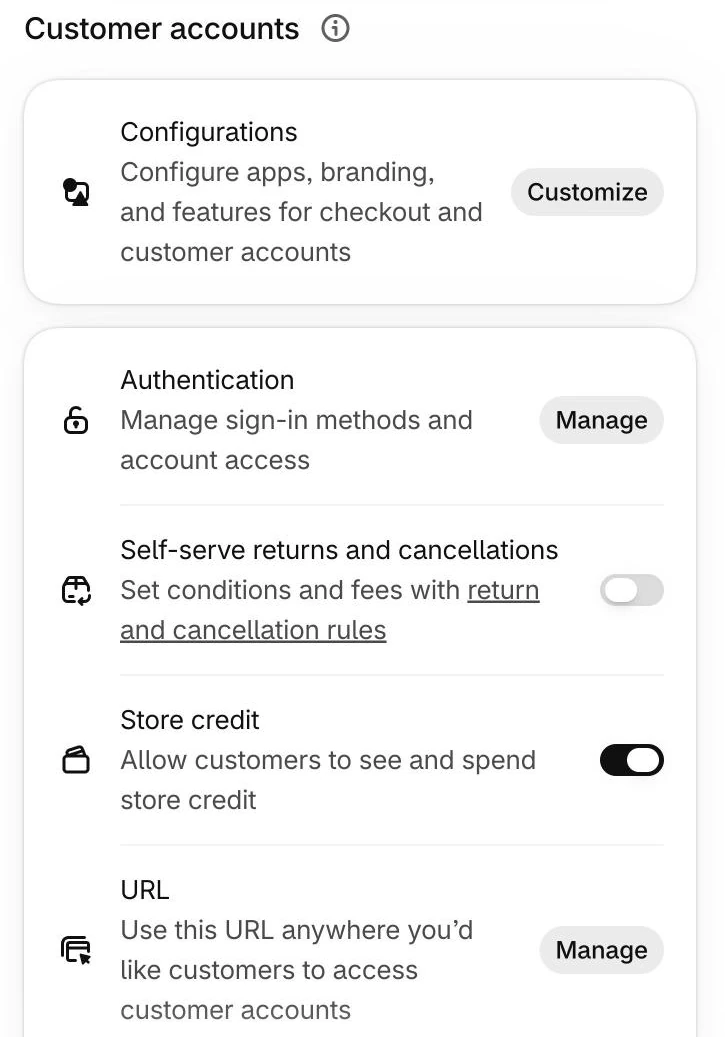
Store credit is on by default for stores on new customer accounts, but it's worth checking:
- In your Shopify admin, go to Settings > Customer accounts.
- Make sure the store uses new customer accounts.
- Turn on Store credit ("Allow customers to see and spend store credit").
To accept store credit in person too, open the Point of Sale channel, go to Payments and turn on Store credit. You can switch it off for POS separately, but it can't be on in POS unless it's also on online. Staff need the POS Customers permissions to redeem it at the till.
How to issue store credit
There are four ways to add store credit to a customer's account.
By hand in the Shopify admin
- Go to Customers and open the customer.
- In the Store credit section, click the pencil icon.
- Enter the amount. If the customer already has a balance, choose Credit to add to it (or Debit to take some away).
- Set an expiry date, or leave it with no expiry.
- Tick Notify customer if you want Shopify to email them, then click Issue credit.
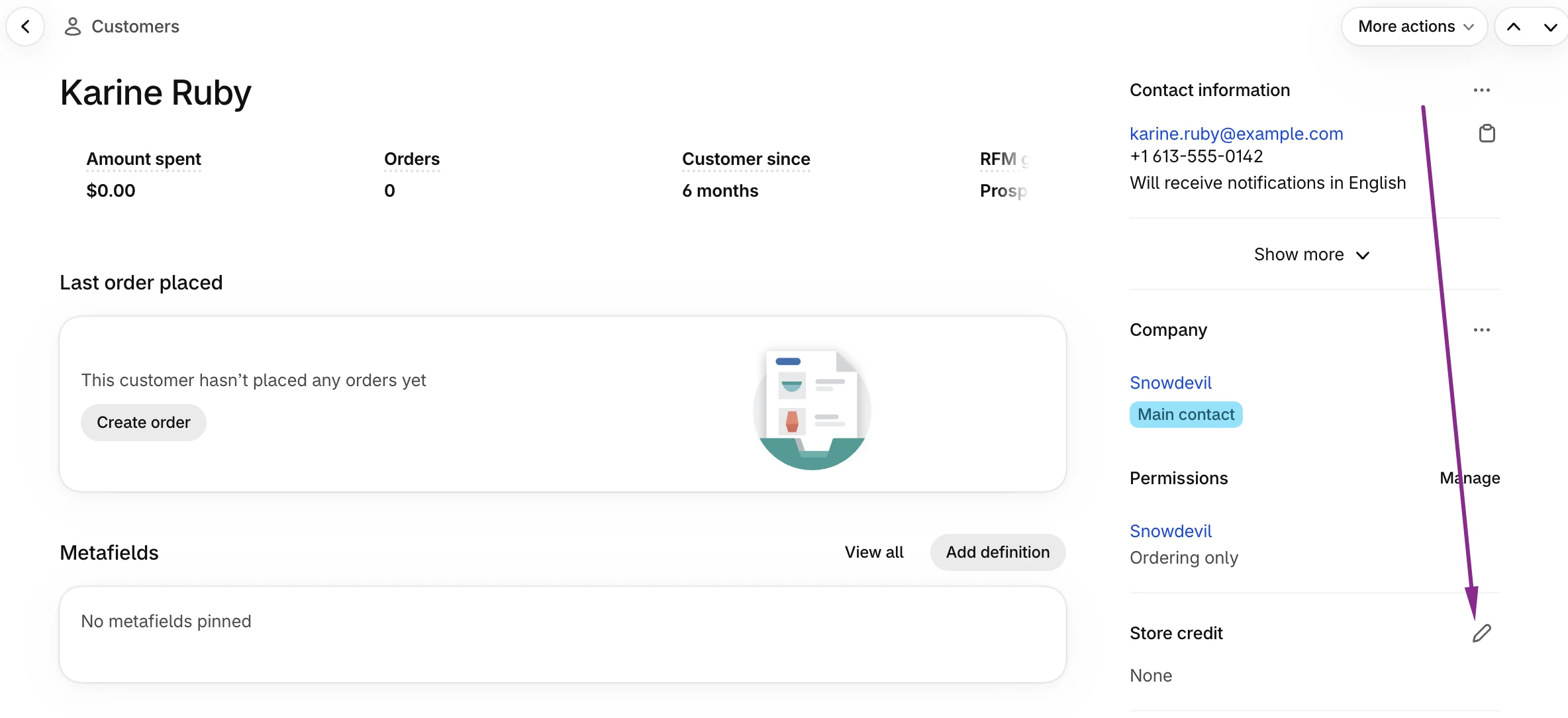
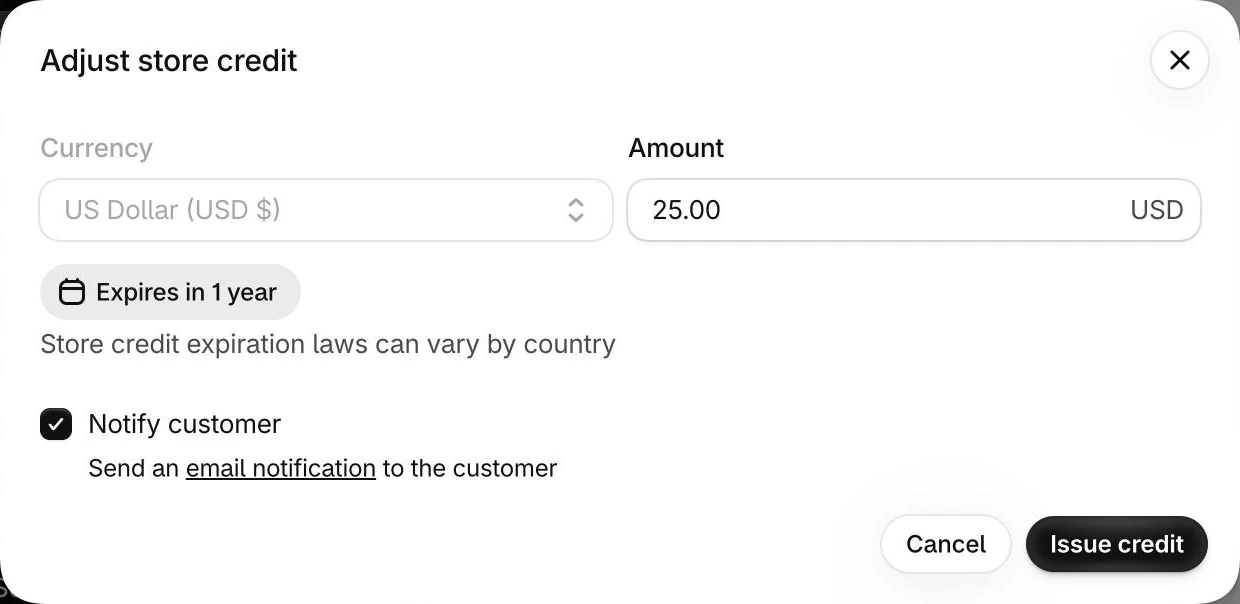
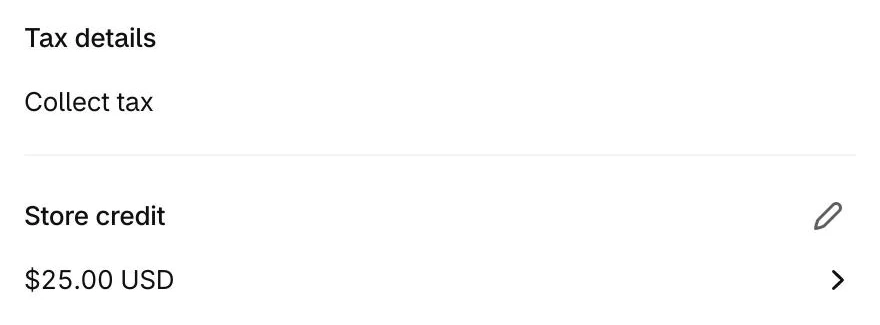
Staff need the Store credit and Edit store credit permissions. The new balance shows in the customer's profile straight away.
By refunding an order to store credit
- Open the order and click Refund.
- Pick the items, then under Refund method choose Store credit.
- Check the amount (and set an expiry date if you want one), then click Refund.
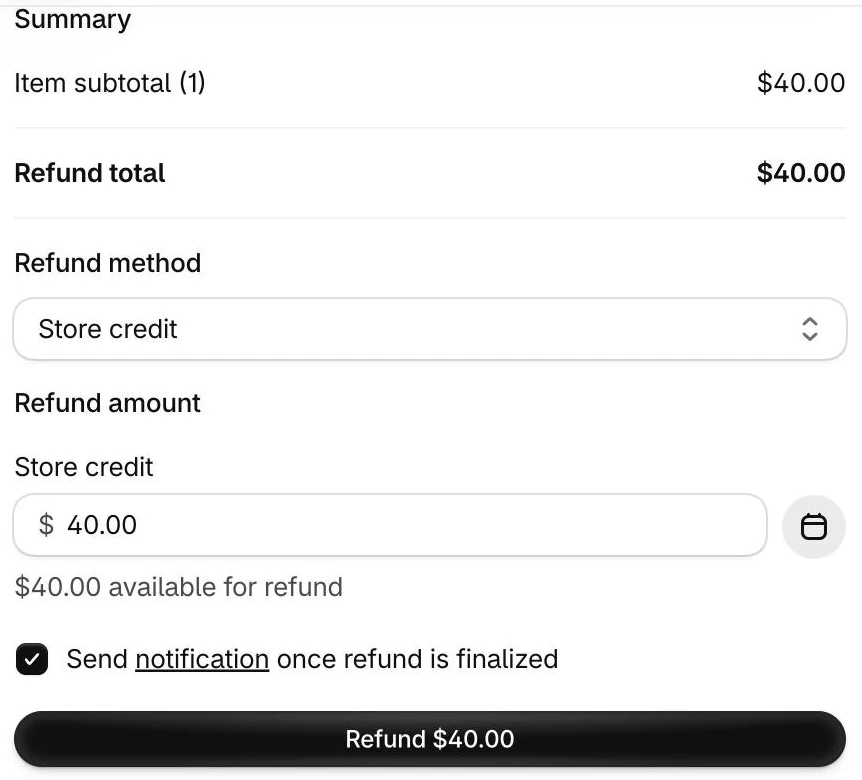
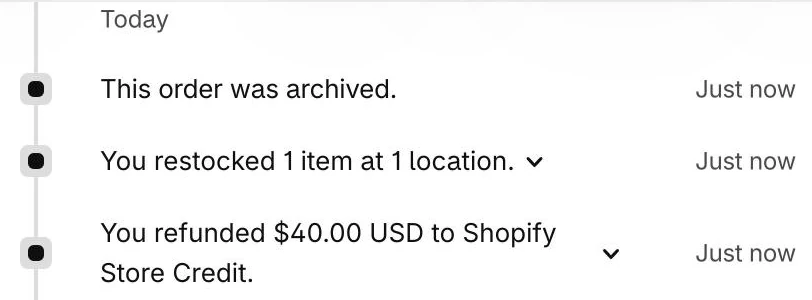
This works for full refunds, partial refunds, returns and cancellations, even if the customer paid another way. Staff need the Refund to store credit permission. The order timeline records it.
On Shopify POS
With store credit on in POS, staff can issue credit, refund returns to store credit and apply a customer's balance at the till.
Automatically, through an app or the API
Developers can issue credit with Shopify's API, and a store credit app or loyalty app uses the same API to issue it automatically, for example as a loyalty reward for each order. More on that below.
How customers use store credit
Store credit is accepted in three places: your online store, Shopify POS and the Shop app. No other sales channel takes it, and you can't apply it to draft orders or edited orders in the admin. For a draft order there's a workaround: send the customer an invoice from the draft order, and they can sign in at checkout and apply their credit themselves.
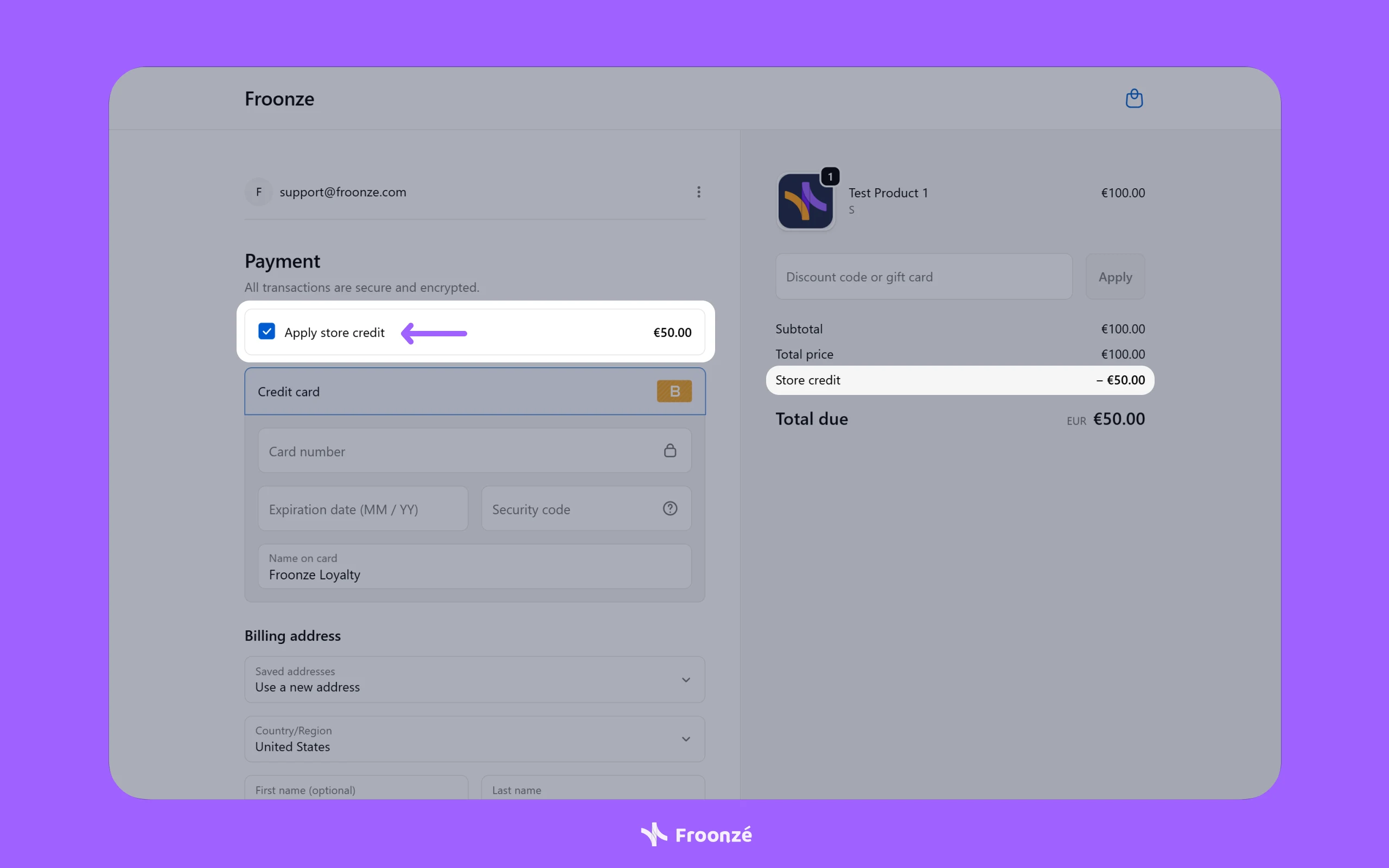
Online, the customer has to be signed in to their customer account (or use Shop Pay). At checkout, an Apply store credit option appears in the Payment section with their balance.
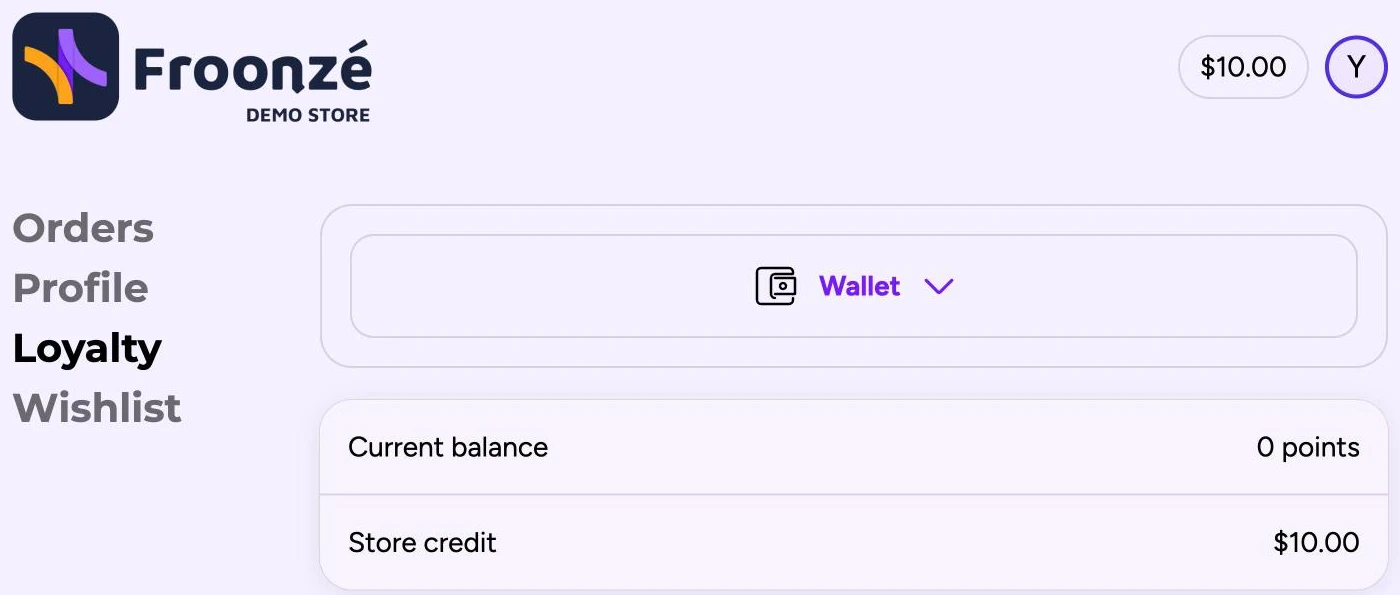
Customers also see their balance in their customer account, no app needed. Shopify shows it at the top of the account page, next to their profile icon.
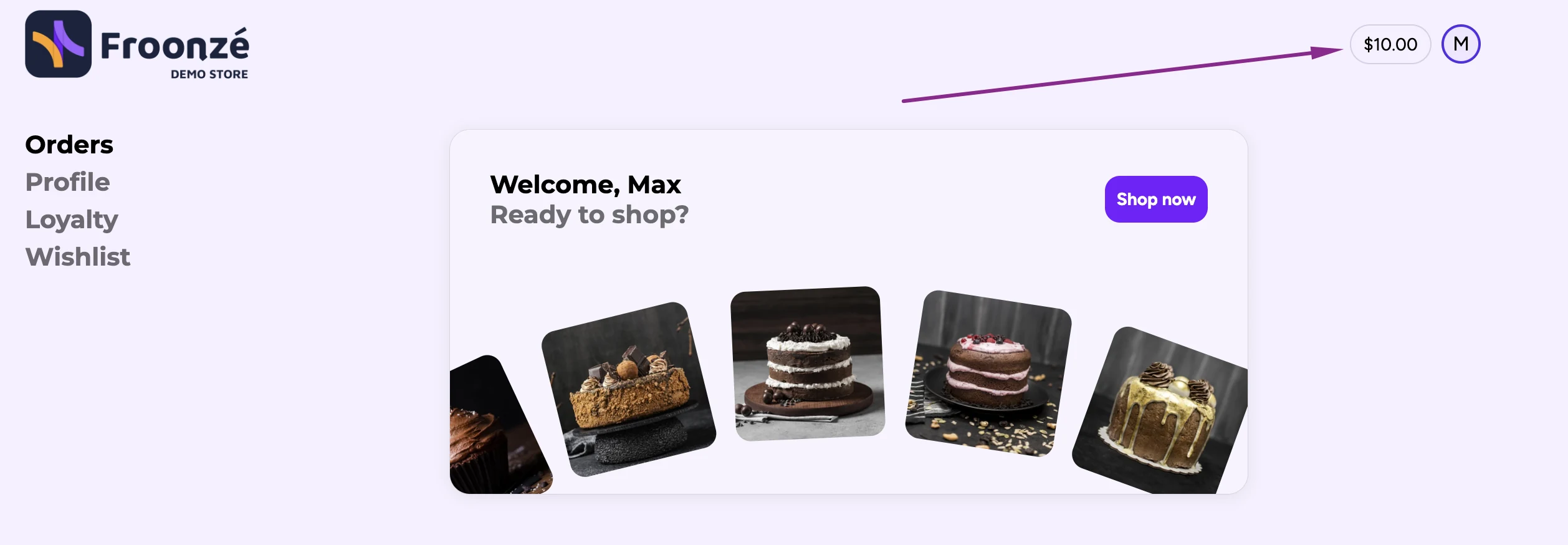
With Froonze, the loyalty page also shows it next to the customer's points:
Limits of Shopify store credit worth knowing
Store credit is useful, but it has limits. Here they are in one place:
| Limit | What it means |
|---|---|
| All or nothing at checkout | Shopify applies the whole balance or none of it. A customer with $50 of credit on a $20 order uses $20, and the other $30 stays for next time. They can't apply only part of it. |
| One currency at a time | Only the balance in the checkout currency shows. The checkout currency is set only by the shipping address the customer enters at checkout. A customer with $50 USD of credit who enters a German shipping address checks out in EUR and won't see the credit. |
| Subscriptions | Credit covers the first subscription order, not the recurring ones. |
| B2B | B2B credit sits on a company location and every buyer at that location can use it. Credit on a customer profile only works in your D2C store. |
| Balance cap | Under $15,000 USD per customer account. |
| Expiry | Set per credit, with no store-wide default. Credit expires at the end of the day in your store's time zone, and the credit that expires soonest is used first. Some countries and states restrict expiry dates, so check local laws first. |
| One customer at a time | The admin issues credit to one customer at a time. For rules like "credit on every order", you need an app or the API. |
| Transaction fees | Stores created on or after May 12, 2025 pay third-party transaction fees on the part of an order paid with store credit. Older stores don't. |
How Shopify merchants use store credit
Store credit keeps revenue in the business, feels personal because it lives in one customer's account, and redeems in one click. That makes it a good fit for a few common jobs.
Refunds that keep the revenue
This is the most common use. Instead of a cash refund, offer store credit, often with a small bonus (refund $50, offer $60 in credit) to make the trade worthwhile. The customer gets their money's worth, you keep the revenue, and the credit often leads to another order.
Loyalty rewards
Merchants give store credit when customers place an order, have a birthday, refer a friend or leave a review. The credit appears in the customer's account and applies at checkout when they choose. Read more about how to set up a Shopify loyalty program.
Win-back campaigns
No orders in the last 90 days? Drop $15 in the customer's account and email them about it. Credit feels like money they already have, which gives them a concrete reason to come back.
Service recovery
Late delivery, damaged package or a support issue? Store credit lets you make things right straight away without sending cash out the door.
B2B accounts
For wholesale customers, store credit on a company location is a clean way to handle prepayments, volume rewards or returns without involving the finance team for every transaction.
How to give store credit as loyalty rewards automatically
Issuing credit by hand is fine for a refund here and a goodwill gesture there. It stops working the moment you want to do it on every order, every birthday or every referral.
Froonze Loyalty issues native Shopify store credit automatically, by rules you set. It's on the free plan, so it costs nothing to try.
- Install Froonze from the Shopify App Store.
- Go to Loyalty program > Program > Earning rules.
- Click the pencil icon on an action, for example Place an order. Any action can pay store credit instead of points: orders, birthdays, newsletter signups, social shares, reviews, referrals and the rest.
- Under Reward type, choose Store credit.
- Choose the earning type: increments of store credit (for example $4 for every $100 spent) or a fixed amount per action. Then save.
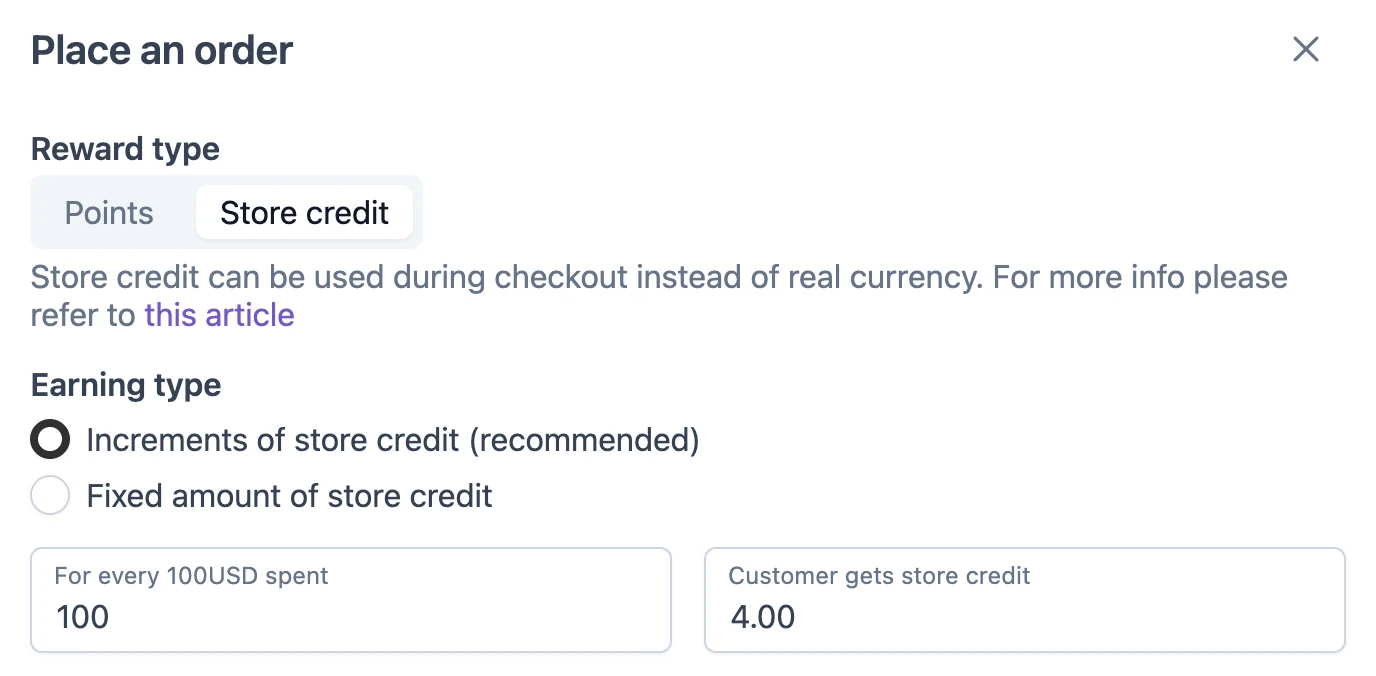
From then on, each eligible action adds credit to the customer's Shopify store credit balance. No codes to share and nothing to issue by hand.
A few things that help in practice:
- Refunds are handled. If an order is refunded or cancelled, Froonze takes back the matching credit automatically, on every plan.
- Multi-currency friendly. Credit is issued in the currency of the order it was earned on, so it's ready when the customer orders the same way again.
- VIP tiers and referrals. From the Advanced plan ($10/month), higher tiers can earn more credit per action, and referral rewards can be paid in store credit too.
- Balance on show. Customers see their credit in the loyalty page of their account.
For the full setup, see our store credit loyalty setup guide.
Loyalty apps that pay rewards in Shopify store credit
Many loyalty apps can pay rewards in store credit, but most put it on a paid plan. Here's the cheapest plan with store credit rewards on each app we've tested (prices checked October 2026):
Should you use Shopify store credit?
For most Shopify stores on new customer accounts, yes. It's built into Shopify, the basics need no app, and it turns refunds into future sales and gives you a simple way to reward customers.
The real question is how you use it. If you issue credit now and then for refunds and goodwill, the admin is enough. If you want store credit working on every order, birthday and referral, you'll want an app to issue it by rules instead of one customer at a time.
That's what Froonze does: set your earning rules once and let store credit build up automatically. Run it as a store credit program and add VIP tiers and a referral program as you grow. Store credit rewards are on the free plan, so you can try it today at no cost.