
Connect your loyalty program to Shopify POS
Let in-store shoppers earn and redeem the same points, tiers, and rewards as your online customers.
No need for separate systems to manage.
5,000+ Shopify and Shopify Plus stores run on Froonze
The problem
Your loyalty program stops at checkout online — but your stores are still ringing up sales
.
Shoppers who redeem points online lose that reward the moment they walk into a physical store, splitting one loyalty program into two disconnected experiences.
SHOPIFY POS
One loyalty program, in-store and online.
Bridge the gap between URL and IRL — the same points, tiers, and rewards follow your customers everywhere they shop.
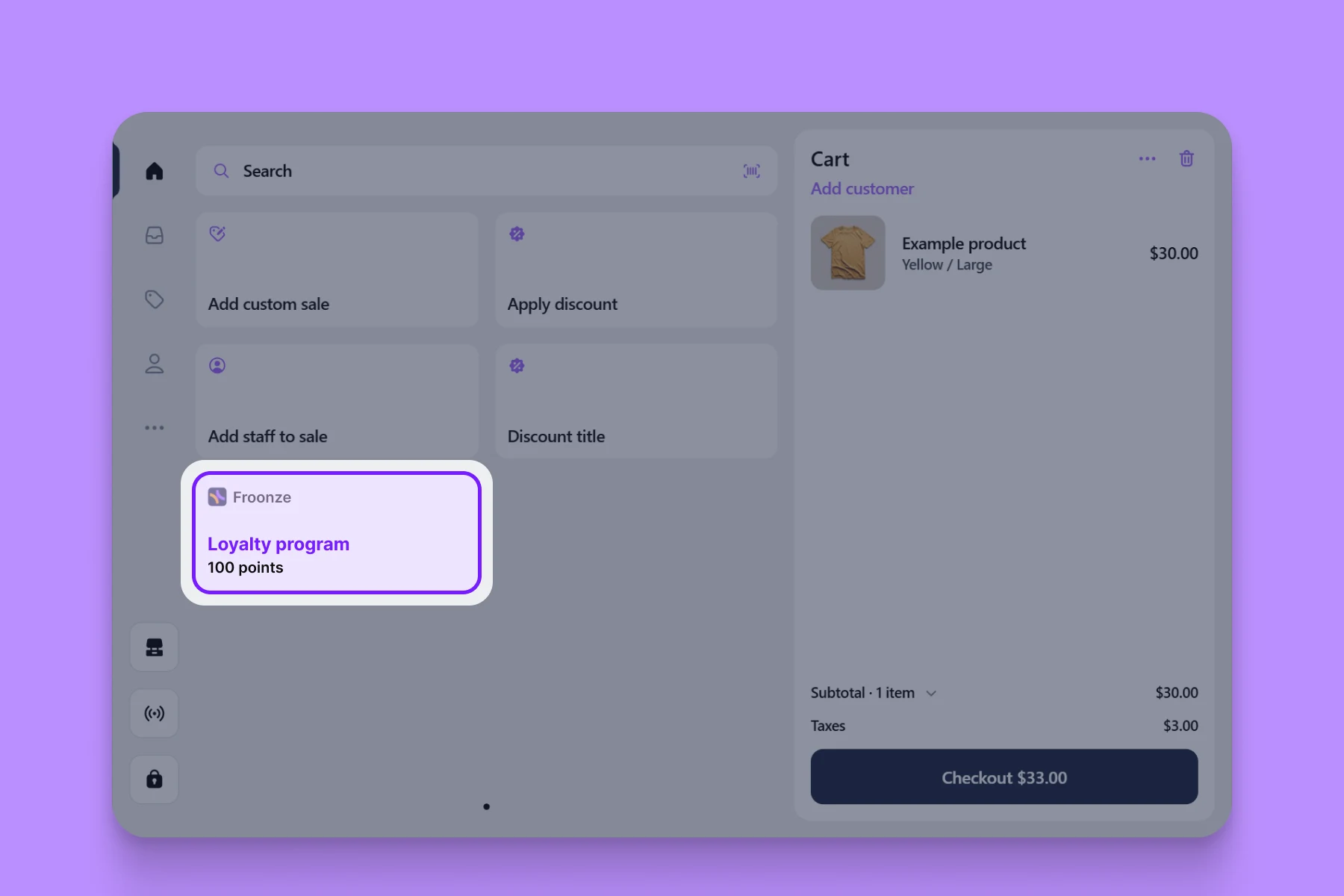
Loyalty tile
Manage your loyalty and rewards program from one POS tile.
Give your retail staff the power to engage customers instantly. Froonze embeds natively into your Shopify POS layout as a smart POS tile, cutting down checkout friction.
One-tap access: Look up profiles, points, and active tiers instantly.
Zero staff training: Integrates natively with the UI your team already knows.
Slimmer hardware stack: No external scanners or clunky third-party tablets required.

Omnichannel Experience
Let customers earn online, redeem in-store, and vice versa.
Break down the wall between your brick-and-mortar stores and your digital storefront. Froonze tracks engagement globally, giving customers a unified balance wherever they shop.
Automated earning: Allow customers to earn for in-store purchases automatically.
Flexible redemption: Let shoppers use online rewards at physical checkouts.
Real-time syncing: Points update seamlessly to prevent duplicate redemptions.
FAQ Answers
Answering your most frequent questions.
Direct, concise, and real answers that help you understand if we're a good match.
Find the right answers for every stage of your store's journey and size.
Find the right answers for every stage of your store's journey and size.
Do I need a specific plan for Shopify POS loyalty?
Yes. Both earning and redeeming through POS require the Advanced plan or higher.
Can staff redeem points without scanning anything?
Yes, they can search for the customer directly in the POS tile using a Customer ID.
Does it work with barcode scanners?
Yes. Keyboard-style barcode scanners work with the Customer ID field, and camera scanning works through the POS tile.
Do customers need to share their email to earn points in-store?
No, customers are matched by email or phone number automatically.
Does POS loyalty need extra hardware?
No, it works inside your existing Shopify POS setup — no external scanners required.
Still got questions about Froonze?
We got you covered! Get all your questions answered by the stellar support team at Froonze.
Pretty much every merchant feels like our team is part of their business.
Pretty much every merchant feels like our team is part of their business.

Get Started
Grow your store with Froonze.
Pick and pay only for the plugins you need.
Enjoy a 14-day free trial period.
Enjoy a 14-day free trial period.
One MODULAR app
Four Customer tools
Infinite growth
Built for Shopify
5-star rating